
Databricks Cost Optimization: 10 Tips From a Partner's Playbook to Stop Burning DBUs

Every finance review of a lakehouse bill sounds the same. The invoice jumped, nobody can say which team caused it, and engineering is asked to “just make it more cost-effective” by Friday.
That scramble treats a spending problem as a technical one. Databricks cost optimization isn’t about starving teams of compute; it’s about making sure every Databricks Unit (DBU) buys real work, and that someone can prove it.
The stakes are rising. Flexera’s 2026 State of the Cloud Report found that organizations estimate 29% of their IaaS and PaaS spend is wasted, the first increase in 5 years, as AI workloads add cost complexity nobody budgeted for. Roughly 3 of every 10 dollars are working for no one.
That isn’t a tooling gap. It’s a habit gap, and it compounds every month it goes unaddressed. As a Databricks partner, we see the same leaks in very different environments. This guide walks through ten fixes in the order we usually apply them, from quick visibility wins to structural changes.
Lights On First: You Can’t Trim a Bill You Can’t Read
Cost cutting doesn’t start with switching things off; it starts with knowing what is switched on. Two habits create that visibility:

1. Reading the Meter Before Touching the Dial
Enable the billing system tables and query system.billing.usage to see spend by workspace, job, SKU and user. The surprise is usually a forgotten nightly job, not the platform itself. Save the query as a dashboard so the picture never goes stale. Partner’s take: begin with your five biggest spenders, because one fix there outweighs a dozen small ones.
2. Tagging It or Losing It
Enforce custom tags through compute policies so every cluster, job and warehouse names its team and project. Add budgets to track account spending and usage policies to attribute serverless costs. Governed tagging turns chargeback debates into arithmetic, and Databricks’ own cost optimization guide walks through the setup.
Brainvire’s Take: Untagged spend is the first thing we chase, because it’s the spend nobody feels responsible for.
In your first week, answer three questions:
- Which five jobs or warehouses drive most of the spend?
- Which clusters ran for hours with no recent activity?
- Which spend carries no owner tag at all?
Compute on a Leash: Pay for Work, Not Waiting
The costliest compute isn’t the biggest cluster; it’s the one doing nothing. Three moves keep compute honest:
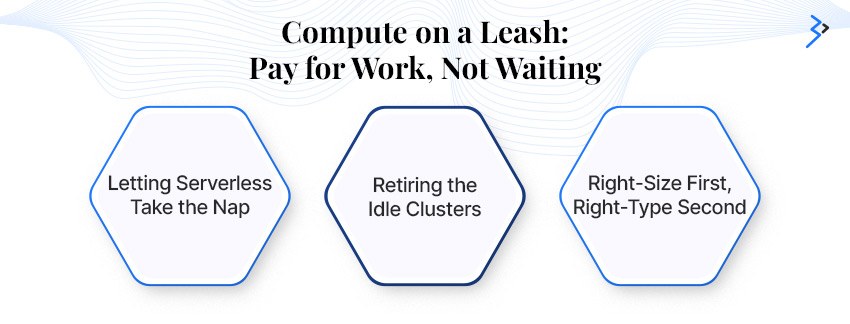
3. Letting Serverless Take the Nap
Serverless SQL warehouses spin up in seconds, so terminating idle compute stops costing you user experience. For batch jobs and pipelines that tolerate a 4 to 6 minute startup, Databricks documents that standard mode can cut costs by up to 70% compared with its default fast-start mode. Check the serverless limitations before moving a workload.
Field Note: Steady, always-on workloads can still be more cost-effective on tuned classic compute, so measure cost per run, not just the sticker rate.
4. Retiring the Idle Clusters
Set auto-termination (an hour is a common ceiling for interactive work), pair autoscaling with a modest minimum worker count, and lock both in with compute policies so nobody can opt out. Automate a weekly check that flags clusters with no recent activity. Idle pool instances accrue no DBUs, though your cloud provider still bills for the VMs.
Field Note: The loudest savings often come from the quietest clusters, the ones started for a demo and never stopped.
5. Right-Size First, Right-Type Second
Bigger clusters usually mask a slow job rather than fix it, so check for skew, spill and shuffle before adding nodes. Then match instance families to the work:
- Memory-optimized for ML and shuffle-heavy jobs
- Compute-optimized for streaming and maintenance tasks like OPTIMIZE and VACUUM
Start SQL warehouses at Small or Medium and let autoscaling do the rest.
Field Note: Resize one variable at a time and record cost per run, so you know which change actually paid off.
Compute policies are where these habits become rules. Encode these guardrails at minimum:
- A maximum auto-termination window
- Approved instance types only
- Mandatory team and project tags
- Spot enabled by default for batch clusters
Behind the Billing Dashboard: How a Databricks Partner Works
Brainvire is a Databricks partner, and this is the discipline we bring to every engagement. We architect enterprise grade Lakehouse environments covering data platform strategy, Lakehouse implementation, Delta Live Tables pipelines, MLflow-based MLOps, generative AI on permissioned data and Unity Catalog governance, with cost controls in the blueprint from day one.
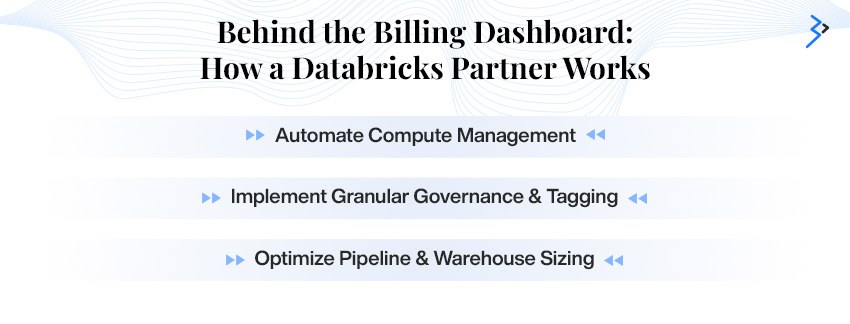
Backed by 1,000+ engineers and 14+ years of engineering enterprise software, our team helps you find the waste, prioritize the fixes and keep them fixed. Explore our Databricks partner capabilities.
The leaks our audits look for first:
- Interactive clusters left running overnight and over weekends
- Scheduled jobs running on all-purpose compute
- Oversized SQL warehouses serving light dashboards
- Spend with no owner tag
- Duplicate pipelines recomputing the same tables
Workloads on a Diet: Lean Jobs, Cheaper Runs
Quick pipelines aren’t necessarily cheap ones; they’re cheap when the right work runs on the right capacity. Three levers matter most:
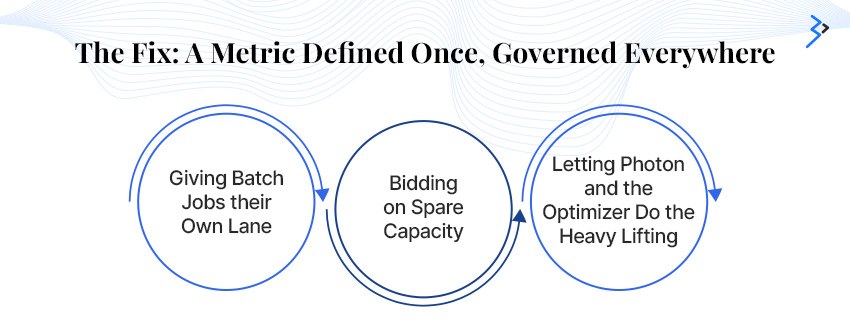
6. Giving Batch Jobs their Own Lane
Run scheduled work on job compute rather than all-purpose clusters, which carry a higher DBU rate. Orchestrate pipelines with Lakeflow Jobs so clusters exist only while tasks run, and share one job cluster across tasks where possible. Model training belongs on the job compute too, a pattern we apply in our AI and machine learning services.
Field Note: Check for scheduled jobs quietly running on shared interactive clusters; moving them is often a quick configuration change.
7. Bidding on Spare Capacity
Spot instances cut compute bills for fault-tolerant work such as batch ETL and model training. Databricks recommends keeping the Spark driver on-demand so a reclaimed node never kills the job. Diversify instance types and fall back to on-demand when spot capacity dries up, so a deadline never depends on one instance family.
Field Note: Start with non-urgent batch work, watch how often nodes are reclaimed, then widen spot use gradually.
8. Letting Photon and the Optimizer Do the Heavy Lifting
Photon comes standard on SQL warehouses and shortens runtime for SQL and DataFrame work, which lowers cost per workload. Pair it with Spark’s runtime query re-optimization (AQE), which tunes shuffle partitions and join strategies mid-flight. Photon carries a higher DBU rate on classic compute, so compare cost per run before and after to confirm the saving.
Field Note: Test Photon on one representative workload first.
Scan Less, Own More: Where Savings Stick
One-off savings fade; structural ones stay. The last two tips make the savings permanent:
9. Scanning Less, Paying Less
Storage layout drives compute. Compact small files, use liquid clustering or Z-ordering on the columns you filter by, and enable predictive optimization so maintenance runs only when tables need it. Fewer bytes scanned means shorter queries and smaller warehouses. Define shared KPIs once as metric views so five dashboards stop recalculating the same number.
Field Note: Run maintenance on your largest, most-queried tables first; that’s where every saved byte is multiplied.
10. Making Cost a Weekly Habit, Not a Quarterly Panic
Adopt the FinOps Framework: a named owner per workspace, a 30-minute weekly review of the top spenders, budget alerts before month-end, and one shared dashboard fed by your usage tables. Track one number that engineering and finance both trust, such as cost per pipeline or cost per query. Optimization sticks when someone owns it.
Field Note: Celebrate a saved dollar as loudly as a shipped feature, or the habit won’t survive the next release cycle.
Track these 4 numbers and most cost conversations get shorter:
- Cost per pipeline run
- Cost per query on SQL warehouses
- Share of spend carrying an owner tag
- Idle compute hours per week
Sweat vs. Savings: What Each Fix Really Costs You
Use this to sequence the work:
| Lever | Tips | Effort | Payback |
|---|---|---|---|
| Visibility and tagging | 1, 2, 10 | Low | Immediate |
| Idle-time controls | 4 | Low | Days |
| Serverless and Standard mode | 3 | Medium | Weeks |
| Right-sizing and job compute | 5, 6 | Medium | Weeks |
| Spot capacity | 7 | Medium | Weeks |
| Photon and data layout | 8, 9 | Medium to High | 1 to 2 months |
Start at the top of the table and work down; the first three rows usually fund the effort for the rest.
Spend Smarter, Not Smaller: Databricks Cost Optimization with Brainvire
Runaway spend isn’t a failure of ambition; it’s what happens when compute, code, and data grow faster than the habits that watch them. Databricks cost optimization works when it becomes a routine: see the spend, tag it, right-size it and keep reviewing it. Pair these ten tips with an end-to-end strategy tied to business goals, because savings only matter once they reach value realization rather than just a smaller invoice. Small, steady changes beat heroic clean-ups.
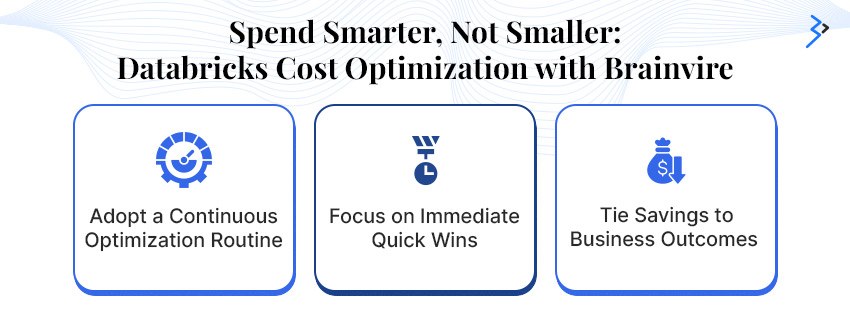
If you only have a week, do three things: switch on usage visibility, enforce tags and auto-termination, and move one nightly batch job to job compute. That alone starts the savings curve and gives you a baseline to measure everything else against.
As a Databricks partner and consultancy, Brainvire takes an outcome-led approach. We audit your current spend, prioritize the quick wins and leave your team with a lean, well-monitored foundation it can run on its own. If generative AI is driving your costs, our Generative AI development team can right-size those workloads too. Talk to our Databricks partner team or book a 30-minute session with our data specialists today.
Frequently Asked Questions
What is the fastest way to start Databricks cost optimization?
Start with visibility. Enable billing system tables, tag all compute through policies and set auto-termination. These steps take days rather than months and usually expose the biggest leaks before you touch any code or architecture.
Does serverless always lower Databricks costs?
Not always. It shines for bursty, interactive and short batch workloads because idle time disappears. Steady, long-running jobs may cost less on tuned classic compute with spot instances, so compare cost per run before you move any workload.
Are spot instances safe for production workloads?
Yes, for fault-tolerant work such as batch ETL and model training, provided the driver stays on-demand and jobs can retry. Avoid spot for latency-critical serving or any single point of failure, where an eviction would reach users.
Should we tackle Databricks cost optimization internally or hire a partner?
Your team knows the workloads best. A partner adds pattern recognition from other environments and a fast audit, while you keep ownership of day-to-day tuning. Many teams begin with a short assessment and continue in-house.
How often should we review Databricks spend?
Review top spenders and budget alerts weekly, and commitments and workspace-level trends monthly. Short, regular reviews catch runaway jobs early, when the fix takes an afternoon instead of a quarter.

Related reading
 Beyond the Add-to-Cart Button: A Builder's Guide to Commerce Agents on ClaudeOctober 12, 2026 · 8 min read
 Why Enterprises Need Databricks Consulting Partners to Navigate the Agentic AI EraOctober 12, 2026 · 8 min read
 Databricks Metric Views 101: Solving the "Everyone Has a Different Number" ProblemOctober 8, 2026 · 8 min read