
AI tools for podcasters that handle the work behind the mic
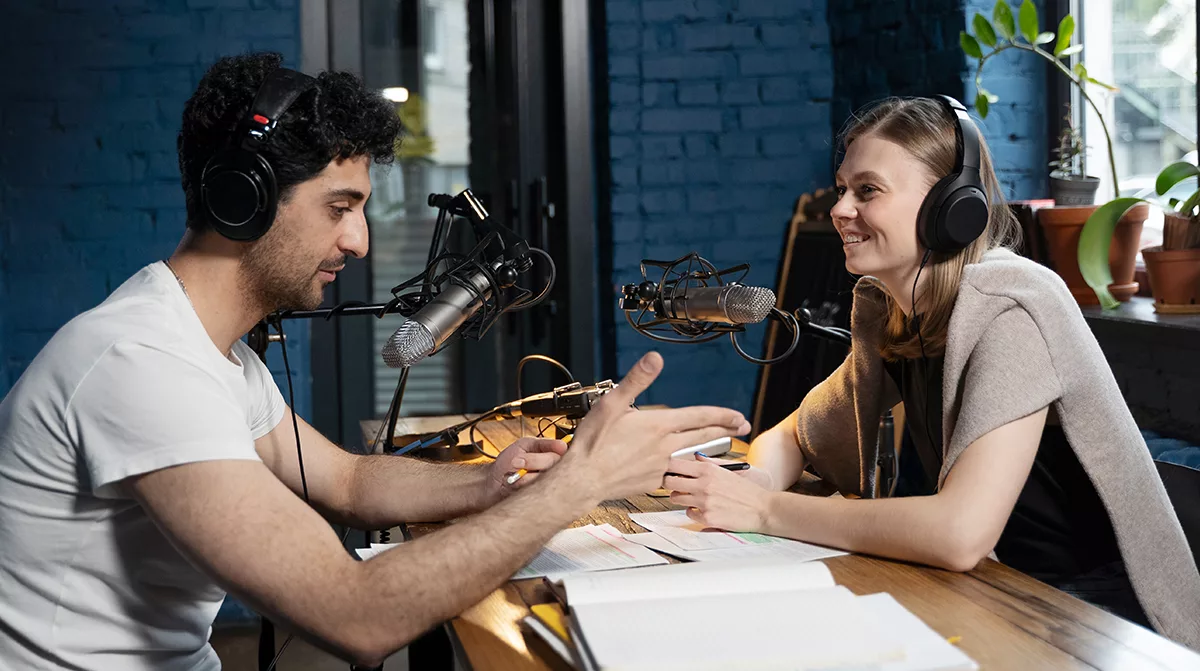
The best AI tools for podcasters do work your audience never hears: noise removal, transcripts, show notes and clips. Listeners have made that preference clear. In Edison Research's Podcast Consumer 2026 report, 69% of US weekly podcast consumers approved of shows using generative AI for research. Only 25% approved of a podcast hosted by an AI-generated voice.
So this list leans hard toward the production side. It covers recording, editing, cleanup, transcripts, clips, AI voices, AI podcast generators and discovery, with a note on where each one fits.
How these tools were picked
Three tests decided what made the list:
- It does one production job well. A tool earns its place by doing a specific task, not by claiming to do everything.
- It's current. Every product was checked on the vendor's own site in October 2026, under its current name and owner. Tools we couldn't verify were left out.
- The AI is the reason to use it. A recorder with an AI button bolted on didn't count. The AI feature has to save real time.
Generators that replace the host are included because people search for them. They come with a warning. Names and features change often, so read this as a working map rather than a ranking.
| Production job | Tools to look at | What the AI actually does |
|---|---|---|
| Recording | Riverside, Adobe Podcast Studio | Local recording, mic checks, audio enhancement |
| Editing | Descript, Cleanvoice AI | Edit by editing the transcript, remove filler words and dead air |
| Audio cleanup and mastering | Adobe Podcast Enhance Speech, Auphonic, iZotope RX 12 | Remove background noise, level speakers, repair dialogue |
| Transcripts and show notes | Castmagic, Buzzsprout Cohost AI, OpenAI Whisper | Episode transcripts, show notes, chapters, blog posts |
| Clips for YouTube and social media | OpusClip, Riverside Magic Clips | Find highlights, reframe video, add captions |
| AI voices and translation | ElevenLabs, Riverside AI Translation | Text to speech, voice cloning, dubbing |
| AI podcast generators | Gemini Notebook Audio Overviews, Wondercraft | Turn documents or URLs into a generated conversation |
| Discovery, guests and sponsors | Podchaser, Listen Notes | Searchable podcast databases with contacts and APIs |
Recording and editing
AI cleanup works best on decent source audio, so the recorder matters more than most people think. Editing changed even more. With text-based editing, you delete a sentence in the transcript and the audio cut happens with it.
Riverside
Riverside records audio and video locally on each guest's device, so a weak internet connection doesn't wreck the take. It captures up to 4K video and uncompressed audio on separate tracks. AI features include Magic Audio for noise removal, text-based editing, Magic Clips, AI Show Notes and an AI Co-Creator that drafts promotional posts and headlines. AI Translation dubs content into more than 30 languages.
Best for: remote interview shows that publish video as well as audio.
Adobe Podcast
Adobe Podcast runs in the browser and has three parts: Studio (still labeled beta), Enhance Speech and Mic Check. Mic Check uses AI to analyze your microphone setup before you hit record, which saves a lot of grief for solo hosts working from a spare room. It's free to start, with daily limits on Enhance Speech (covered under cleanup).
Best for: hosts who want a free, no-install starting point.
Descript
Descript transcribes your files automatically, so you edit your podcast like a document. It bundles Remove Filler Words, Studio Sound for noise removal and voice enhancement, and Create Clips for short-form video. Underlord, its AI assistant and co-editor, takes plain-language instructions. Its AI speech feature can regenerate a line with a voice clone or a stock AI voice, and it also supports remote recording.
Descript has a free plan with 60 media minutes per editor per month and watermarked 720p exports. Paid plans start at $16 per person per month, billed annually.
Best for: teams that want recording, editing and clips in one tool.
Cleanvoice AI
Cleanvoice AI does one job. It finds filler words and long pauses, then strips mouth sounds, breaths, stutters and dead air from your audio files. You can clean 30 minutes free without signing up.
Best for: editors who like their current timeline editor and only want the tedious cuts automated.
Audio cleanup and mastering
Room echo, a humming fridge and two guests at different volumes used to mean an evening of manual repair. This is the job where AI saves the most time for the least risk.
Adobe Podcast Enhance Speech
Enhance Speech makes voice recordings sound like they came from a studio. The free plan handles files up to 30 minutes, with 1 hour of processing per day. Premium raises that to 4 hours a day and files up to 1 GB, and adds video files, bulk uploads and adjustable strength. A 30-day free trial is available.
Adjustable strength matters more than it sounds. Push enhancement too far and a real voice starts to sound synthetic.
Best for: quick fixes on a single voice track recorded in a bad room.
Auphonic
Auphonic is an automatic post-production service. Its Intelligent Leveler balances speakers, music and speech. It also reduces noise and reverb, cuts filler words, coughs and silence, and mixes multitrack recordings. You can set loudness targets for each platform, and Speech2Text drafts show notes and chapters. The free tier covers 2 hours of audio per month.
Best for: weekly shows that want consistent levels without touching a mixer.
iZotope RX 12
iZotope RX 12 is the professional's repair kit. Dialogue Isolate and Repair Assistant now run on new neural networks. Breath Control was rebuilt with them too, and De-bleed uses machine learning to remove bleed between microphones.
Best for: professional studios, and anyone rescuing a badly recorded interview.
Transcripts, show notes and repurposing
One episode can feed a week of content, and the transcript is the raw material for all of it.
Castmagic
Castmagic produces speaker-labeled, timestamped transcripts in 60+ languages within minutes of upload. From that one upload it drafts show notes, key points, captioned vertical clips, LinkedIn posts, long-form articles and newsletters. It can watch an RSS feed and draft assets for every new episode. It can also put a chatbot on your site that answers questions from your back catalog.
Best for: marketing teams that treat each episode as a content source.
Buzzsprout Cohost AI
If you host on Buzzsprout, Cohost AI is an add-on that drafts episode titles, descriptions, chapter markers, blog posts and social posts. Magic Mastering is a separate add-on for automatic sound cleanup. Buzzsprout says pricing depends on your plan.
Best for: shows already hosted on Buzzsprout that want AI without another login.
OpenAI Whisper
Whisper is OpenAI's open-source speech recognition model, released under the MIT license. It handles multilingual transcription, speech translation and language identification. It isn't an app you download and click.
Best for: engineering teams building transcription into their own content pipeline.
Apple Podcasts transcripts
You may already have transcripts without paying for anything. Apple Podcasts generates them automatically after you publish, for listeners on iOS 17.4 or later. Since March 2024, listeners can search an episode for a word or phrase and play from that point. You can also supply your own transcript through your RSS feed.
That option is worth using. Auto transcripts are fine to read but often trip on product names, client names and acronyms, so brand podcasts should publish a corrected version.
Best for: every show on Apple Podcasts, as a free baseline.
Clips for YouTube and social media
Video is catching up with audio. Edison's report notes that in Q3 2025, video consumption outpaced audio for the first time in its Podcast Metrics study.
OpusClip
OpusClip turns long YouTube videos and video podcasts into short clips. ClipAnything finds moments from a natural-language prompt, and ReframeAnything resizes video for each platform while tracking moving speakers. OpusClip says its automatic captions are over 97% accurate, and you can edit them.
Best for: shows that need a steady stream of vertical clips. If you already pay for Riverside or Descript, try Magic Clips or Create Clips first.
AI voices, cloning and translation
This is where the listener line starts to bite.
ElevenLabs
ElevenLabs offers text to speech, a voice library, voice cloning, dubbing and its Scribe speech-to-text model with speaker diarization. Its voice cloning documentation separates two options. Instant Voice Cloning is quick and doesn't train a custom model. Professional Voice Cloning trains a dedicated model on more data and needs the Creator plan or above.
The policy detail is the useful part. ElevenLabs only lets you create a Professional Voice Clone of your own voice, and each one goes through verification. Someone else's consent doesn't change that. The free plan includes 10,000 credits a month, roughly 10 minutes of text to speech by ElevenLabs' own estimate, and Creator costs $22 a month.
Best for: fixing a misread sponsor line in the host's own voice, or translating an episode for other languages. A fully synthetic host your audience doesn't know about is the wrong use.
AI podcast generators
An AI podcast generator turns documents, URLs or notes into a finished conversation between AI voices. They're good for internal briefings, training and study material. As a public show, they're a hard sell when only 25% of weekly listeners approve of an AI-voiced host. On Apple Podcasts, an AI host must also be disclosed in the content and the metadata.
Gemini Notebook Audio Overviews
Google renamed NotebookLM to Gemini Notebook on July 16, 2026. Its Audio Overview feature, launched in September 2024, turns documents, slides and charts into a discussion between AI hosts with one click. Google's own launch post warned that the hosts "sometimes introduce inaccuracies."
Best for: turning a long internal document into something a team can listen to. Check every claim before it leaves the building.
Wondercraft
Wondercraft takes a doc, web pages or rough ideas and drafts a script. It then voices that script with voices from its AI library or a clone of your own voice. You can add music and sound effects from a royalty-free library and arrange the final audio in a timeline editor, with no microphone involved.
Best for: produced audio such as training modules or narrated explainers.
Who offers AI-powered podcast discovery tools?
Podchaser and Listen Notes are the main options, alongside search inside the big listening apps. Apple Podcasts, for example, lets listeners search an episode's transcript.
Podchaser
Podchaser is a podcast database owned by Acast, which announced the acquisition in July 2022. Podchaser Pro gives marketers, PR teams and ad buyers reach, demographics, verified contacts and AI-powered brand safety scoring, plus an API.
Best for: guest booking, sponsorship research and ad buying.
Listen Notes
Listen Notes is a podcast search engine that listed 3,826,651 podcasts and 196,136,780 episodes when we checked in October 2026. It says it excludes AI-generated audio. Developers can query it through the Listen API.
Best for: research across the whole podcast universe, or building search into an app.
Databases help you find guests and sponsors. Getting found by listeners still comes down to accurate titles, descriptions and transcripts.
How to choose AI tools for podcasters
Start with the job that eats your week. For most shows that's cleanup or show notes, and one tool from those sections will save more hours than a full stack. Check what your recorder, editor or host already includes before buying anything new.
Then decide how far into the show itself you'll let AI go. Podcasting is too big an audience to guess about. Edison puts monthly podcast consumption at 58% of Americans age 12 and older in 2026, an estimated 167 million people who listen or watch. Here's how US weekly podcast consumers rated each use of generative AI (Q1 2026):
| Use of generative AI in podcast creation | Share who approve |
|---|---|
| Conduct research | 69% |
| Brainstorm ideas | 69% |
| Generate transcripts | 60% |
| Find guests | 57% |
| Generate a script | 48% |
| Edit existing audio from a human host | 43% |
| Write social media posts | 38% |
| Host the podcast with an AI-generated voice | 25% |
Between 57% and 62% of those listeners also saw AI as a threat to the quality, creativity or credibility of podcasts. The pattern is plain enough. Use AI to make a human show faster and cleaner, and be careful about using it to make the show for you.
Keep expectations in check, too. AI can make a weak episode shorter and better captioned, but it can't give a guest something new to say. Enhancement can't rebuild a clipped, distorted recording, and heavy processing flattens voices into the synthetic sound listeners distrust. AI show notes can misname guests and invent details, so a person should read and hear everything before it goes out.
If it's a brand podcast
A company podcast is published content with your name on it. Four checks belong in the buying decision:
- Disclosure. Apple's content guidelines (section 1.11) cover synthetic voices, AI-generated hosts and AI replicas of real people. Creators must "prominently disclose" these in the content and in the metadata of each episode and show. YouTube also asks creators to label realistic content made or meaningfully altered with AI.
- Voice consent. Treat a voice like a likeness. Get the host's sign-off in writing, store it with the episode files and decide who can generate new audio in their voice.
- Accurate transcripts. WCAG 2.1 success criterion 1.2.1 (Level A) expects an equivalent alternative for prerecorded audio-only content, and a transcript is the usual answer. If your site targets WCAG conformance, an uncorrected AI transcript is a draft, not a deliverable.
- Data handling. Unreleased episodes can hold product news, client names and executive opinions. Read each vendor's data terms, then decide which recordings may leave your environment at all.
Buy or build
Off-the-shelf tools win for almost every show. Building starts to make sense when transcription has to live inside your own systems, or when you want search and a chatbot across years of episodes. For that kind of project, our generative AI development team would start by sorting which recordings can leave your environment, then test transcription quality on a sample of the archive. The AI and machine learning and conversational AI work follows from there.
If the podcast is one channel in a wider content marketing program, the same transcripts can feed your blog, newsletter and sales enablement. The roundup of AI writing tools covers that side of the stack.
FAQ
Which AI tool is best for podcasts?
No single tool is best, because each one handles a different production job. Descript covers the most jobs in one place, and Riverside suits remote video interviews. For cleanup alone, Adobe Podcast Enhance Speech or Auphonic will cover most shows.
Is there a free AI podcast generator?
Some let you start free. Wondercraft, for example, invites you to try its AI podcast generator for free. Free tiers and limits change often, so check each vendor's current plan page and the usage rights before you publish anything a free tier generated.
What software do most podcasters use?
A typical setup combines a recorder, an editor and a hosting platform. Common choices include Riverside or Descript for recording and editing, Adobe Podcast or Auphonic for cleanup and a host such as Buzzsprout for distribution. All of those now include AI features.
Where to start
Pick one job, automate it for a month and keep the human voice at the mic. If you're ready to build AI into your own content archive, talk to us about the pipeline.
Related reading
 Databricks Cost Optimization: 10 Tips From a Partner's Playbook to Stop Burning DBUsOctober 20, 2026 · 8 min read
 Beyond the Add-to-Cart Button: A Builder's Guide to Commerce Agents on ClaudeOctober 12, 2026 · 8 min read
 Why Enterprises Need Databricks Consulting Partners to Navigate the Agentic AI EraOctober 12, 2026 · 8 min read