
Odoo implementation cost: what you'll pay, and why quotes differ
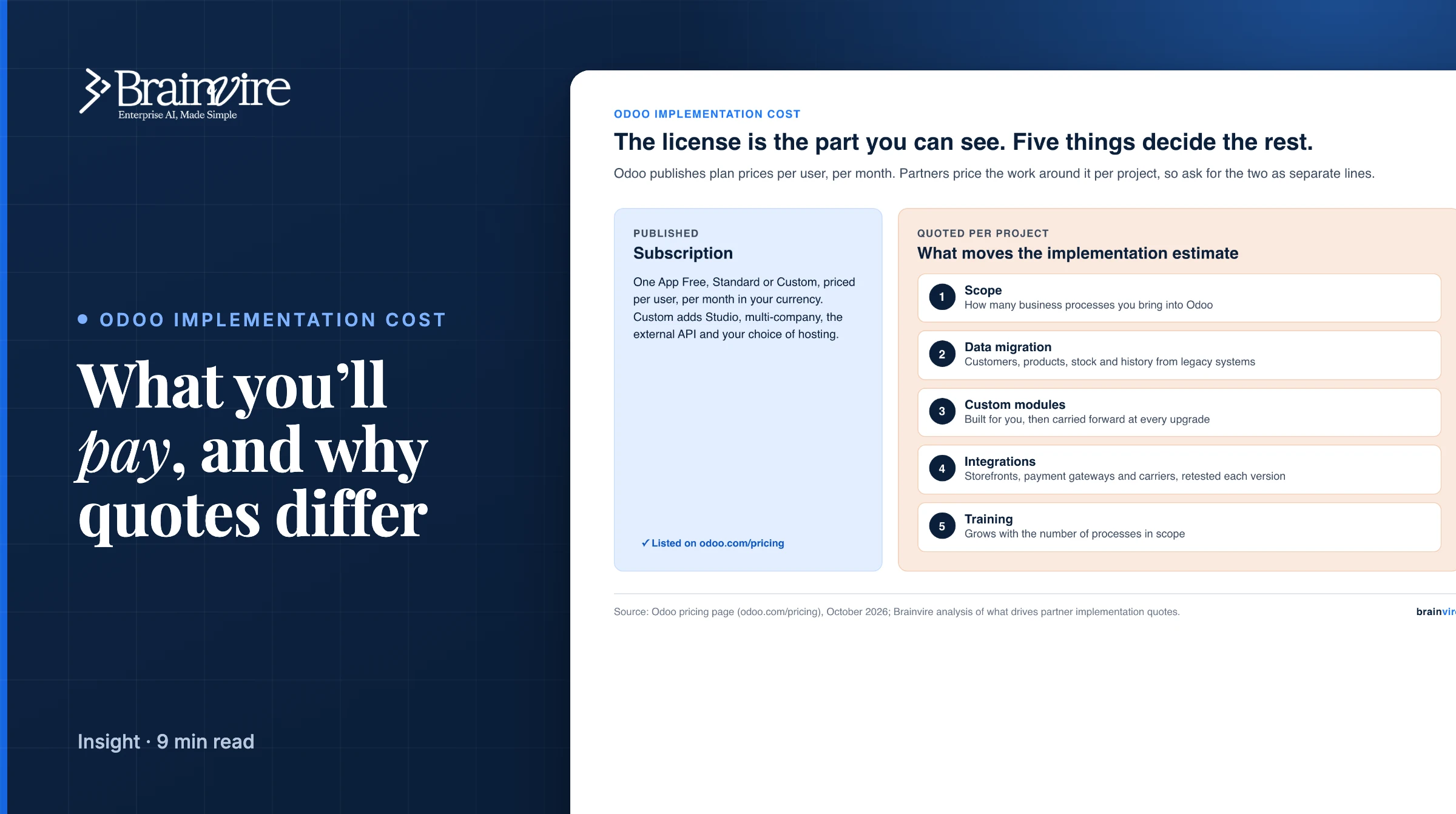
You asked three partners what your Odoo implementation will cost and got three numbers that don't match. That's normal. The license is the easy part to price—Odoo publishes it. The spread comes from the work around it: how many processes you bring in, how messy your old data is, and how much you customize.
Key takeaways
- The license is published; the implementation isn't. Odoo lists its plan prices on odoo.com. Partners quote implementation per project, so ask for the two as separate lines.
- Most teams start on the Standard plan. It includes every Odoo app on Odoo Online. You need the Custom plan only for Odoo Studio, multi-company, the external API or your own hosting.
- Custom code is the cost that keeps coming back. Every custom module has to be built, tested and carried forward to each new Odoo version.
- Data quality decides the migration budget. Clean records import quickly. Duplicates and years of inconsistent history need cleaning first.
- Small teams may not need a partner at all. Odoo itself suggests companies under 50 employees start with a Success Pack.
What does an Odoo implementation cost?
Odoo implementation cost is the subscription plus the work to make it fit your business: setup, data migration, custom development, integrations, training and hosting outside Odoo Online. Odoo publishes the subscription on odoo.com. Everything else depends on scope, so a real figure only exists once each process is mapped to standard Odoo apps or custom code.
It's a busy market to buy in. Grand View Research expects the worldwide ERP software market to reach USD 123.41 billion by 2030, growing at a CAGR of 11.7% between 2025 and 2030. Odoo itself reports over 12 million users. For you, that means plenty of partners competing for the same project, and quotes that aren't comparable until you make them so.
What each Odoo plan includes (as listed on odoo.com, October 2026)
Odoo offers three plans:
- One App Free: one app, unlimited users, no charge, on Odoo Online.
- Standard: every Odoo app, on Odoo Online, priced per user, per month.
- Custom: everything in Standard, plus Odoo Studio, multi-company, the external API and a choice of Odoo Online, Odoo.sh or on-premises hosting. Also priced per user, per month. Odoo.sh hosting is billed on top.
Odoo's pricing page now also lists Agentic AI in the Custom plan. It also offers a Light User license for staff who need only limited access, such as their own expenses, Point of Sale or the shop floor.
Odoo no longer charges a separate monthly fee per app. A 10-user team that needs CRM pays for 10 users on the Standard plan, not for CRM on top.
Two details catch people out. The first-year discount applies for 12 months, and only to the initial users ordered. And the price you see depends on your country and currency, so confirm it on odoo.com for your location before you budget. Odoo's pricing page lists unlimited support by email, Monday to Friday, with its plans. Implementation, custom development and third-party hosting are separate costs.
Odoo offers more than 70 apps, so most teams can cover CRM, inventory, accounting and ecommerce without writing code. For a deeper look at editions and plans, read Odoo licensing explained.
Community or Enterprise? Decide on support and Studio, not the license fee
| Community Edition | Enterprise Edition | |
|---|---|---|
| Cost | Free | Subscription |
| Apps | Limited | Full suite, with advanced features |
| Customization | Moderate | Extensive; Odoo Studio needs the Custom plan |
| Support | Community-driven | Professional support included |
Community is the free, open-source version and a low-cost starting point. It isn't free to run: you still pay for hosting, implementation and support. Enterprise suits teams that need the full app suite, Odoo's own support, or features such as Studio and IoT.
The honest version: if your processes are simple and you have developers in-house, Community can be the right call. If you'd otherwise rebuild Enterprise features yourself, the "free" edition usually ends up costing more.
Hosting: Odoo Online is cheapest to run—until you need custom code
- Odoo Online (SaaS): included in the Standard and Custom plans, so there's no separate hosting bill. It doesn't run custom code modules.
- Odoo.sh: Odoo's cloud for custom modules. It requires the Custom plan, and hosting is billed on top. You get managed infrastructure, scaling and automatic updates without a dedicated IT team.
- Self-hosting: your own servers or a cloud such as AWS. Enterprise on-premises needs the Custom plan; Community can be self-hosted without a subscription. You get full control, and you also own the servers, the IT staff and the security.
If you're unsure, start on Odoo Online and move when a real requirement forces you to. More detail is in our Odoo hosting guide.
What actually moves an implementation quote
Five things drive almost every Odoo quote:
- Scope. The number of business processes you bring into Odoo. Every process adds configuration, testing and training.
- Data migration. Moving customers, products, stock and history out of legacy systems.
- Custom modules. Features Odoo doesn't ship, built for you and maintained at every upgrade.
- Integrations. Each third-party app—a storefront, payment gateway or shipping carrier—adds development and testing hours, and has to be retested at every new version.
- Training. Time your team spends learning the new way of working, which grows with the number of processes in scope.
Standard apps configured with little or no custom code keep the cost down. Odoo apps that already cover a need, such as CRM for lead generation or Inventory for warehouse management, avoid integration work entirely.
Data migration deserves its own line in your budget. Most of the effort goes into the records themselves. Customer lists exported from an old accounting tool and a separate CRM usually carry duplicate accounts, inconsistent tax IDs and product codes that no longer match the catalog. Data quality checks and cleans those records before they're loaded, so Odoo starts with one customer per account and stock figures that match the warehouse. Moving from SAP? Our guide to transferring financial data between SAP and Odoo covers that path.
A worked example: 15 users, CRM and Inventory
Say you run a 15-person team that needs CRM and Inventory.
- User fees: 15 users × the Standard plan's per-user monthly price for your country, as shown on odoo.com.
- App fees: none. CRM and Inventory are included in the Standard plan with every other Odoo app.
- Total: 15 × the per-user price, plus any Odoo.sh hosting, implementation and data migration.
One thing to watch: if the team later needs Studio or multi-company, the Custom plan applies to every user, not just the ones who use those features.
The costs that arrive after go-live
Budget for these from day one, over several years rather than the first one:
- Subscription fees: monthly or yearly, growing with your users.
- Hosting and maintenance: for Odoo.sh, self-hosting or a third-party cloud.
- Support contracts: Odoo's plans include unlimited support. Partner support, upgrades of custom code and managed services are priced separately.
- Upgrades: Odoo releases new versions with features, bug fixes and security patches. Every custom module has to move with them.
- New requirements: more apps in use, new integrations and changes to custom features as the business grows.
Odoo's community of developers and users can answer many non-critical questions for free. It's a good first stop before you pay for support hours.
When you don't need a partner at all
Odoo's own pricing page gives three routes. Companies with under 50 employees work directly with Odoo using a Success Pack. Mid-size companies work with a partner offering local project management. Large companies contact Odoo directly.
So if you're a small company with standard processes, a Success Pack may be all you need. A partner earns their fee when there's heavy custom development, complex integrations, messy data, or several companies and countries in one system.
How to judge an Odoo partner's quote
Ask every partner the same questions, and compare the answers line by line:
- Is licensing separate from implementation? If the quote blends them, you can't compare it.
- What's standard and what's custom? Each custom module should be named, with who maintains it at the next upgrade.
- How will they handle your data? Ask how they'll clean duplicates and map legacy records, not just "migrate" them.
- Have they done this in your industry? Ask for a reference you can call and a case study you can read.
- Who supports you after go-live? Get the support terms, upgrade approach and named team in writing.
- Are they an official Odoo partner? Check the partner listing on odoo.com.
If you'd rather not run the fit-gap alone, it's the part of the work our Odoo partner team does most often.
What to do this week
Write down four lists: the business processes you want in Odoo, the people who need access, the data you'll migrate, and the systems Odoo has to talk to. Send the same four lists to every partner you're considering. A short discovery phase that maps each process to standard Odoo apps or custom code turns a rough figure into the real cost.
Odoo implementation cost FAQs
What drives Odoo implementation cost?
Scope drives it most: the number of business processes you bring in, data migration from legacy systems, custom module development, integrations with third-party apps, training and your hosting choice. Standard apps with little custom code keep costs down. Custom features have to be built, tested and carried forward to each new version, so a heavily customized system costs more to implement and to maintain.
How much does Odoo cost?
The subscription depends on the plan and the number of users. One App Free costs nothing for one app with unlimited users, while Standard and Custom are priced per user, per month in your local currency. Implementation, data migration, custom development, hosting outside Odoo Online, training and support are budgeted separately, so ask for an estimate that splits licensing from implementation.
Is Odoo 100% free?
No. Odoo Community Edition is free and open source, but you still pay for hosting, implementation and support. Odoo Enterprise is a paid subscription. The exception is the One App Free plan, which gives unlimited users one app on Odoo Online at no charge.
What's the difference between the Standard and Custom plans?
Standard includes all Odoo apps on Odoo Online. Custom adds Odoo Studio, multi-company, the external API and a choice of Odoo Online, Odoo.sh or on-premises hosting. If you need custom modules or your own servers, you need Custom. Odoo.sh hosting isn't included in its price.
Is Odoo Online or Odoo.sh cheaper to run?
Odoo Online is cheaper: it's included in the Standard and Custom plans, so there's no separate hosting bill. But it doesn't run custom modules. Odoo.sh and on-premises hosting support custom development and third-party apps, at an extra hosting or infrastructure cost plus the effort of keeping the environment maintained.
Should a small company buy a Success Pack?
Often, yes. Odoo suggests companies under 50 employees work directly with Odoo using Success Packs. A Success Pack suits a small company with standard processes. Heavy custom development or complex integrations can call for a dedicated implementation team.
How much does data migration add to the cost?
It depends on the quality of your legacy data. Clean, well-structured records go through Odoo's standard import tools with little effort. Duplicates, inconsistent IDs and years of history need cleaning and mapping first, which can become a significant part of the project.
Do third-party integrations raise the cost of Odoo?
Yes. Each integration—a storefront, payment gateway or shipping carrier—adds development and testing hours and has to be retested at every new version. Using an Odoo app that already covers the need, such as Inventory for warehouse management, avoids that cost.
How can I estimate the real cost before signing?
List the processes you want in Odoo, the users who need access, the data you'll migrate and the integrations you need. Ask for an estimate that separates licensing, implementation, hosting and ongoing support. A short discovery phase that maps each process to standard apps or custom code turns a rough number into the actual cost.
More Odoo guides
Teams in Singapore or Thailand can see Odoo Gold Partner in Singapore, Odoo Gold Partner for Thailand or the Brainvire Singapore team. For a lean online store, read how to start an online store with Odoo. For CRM built around commerce, see CRM for ecommerce.
The price on odoo.com is the part of the bill you can see. Map your processes, clean your data, and the rest of it becomes visible too.
Planning an Odoo implementation? Book a 30-minute working session with an Odoo architect. No sales deck.
Related reading
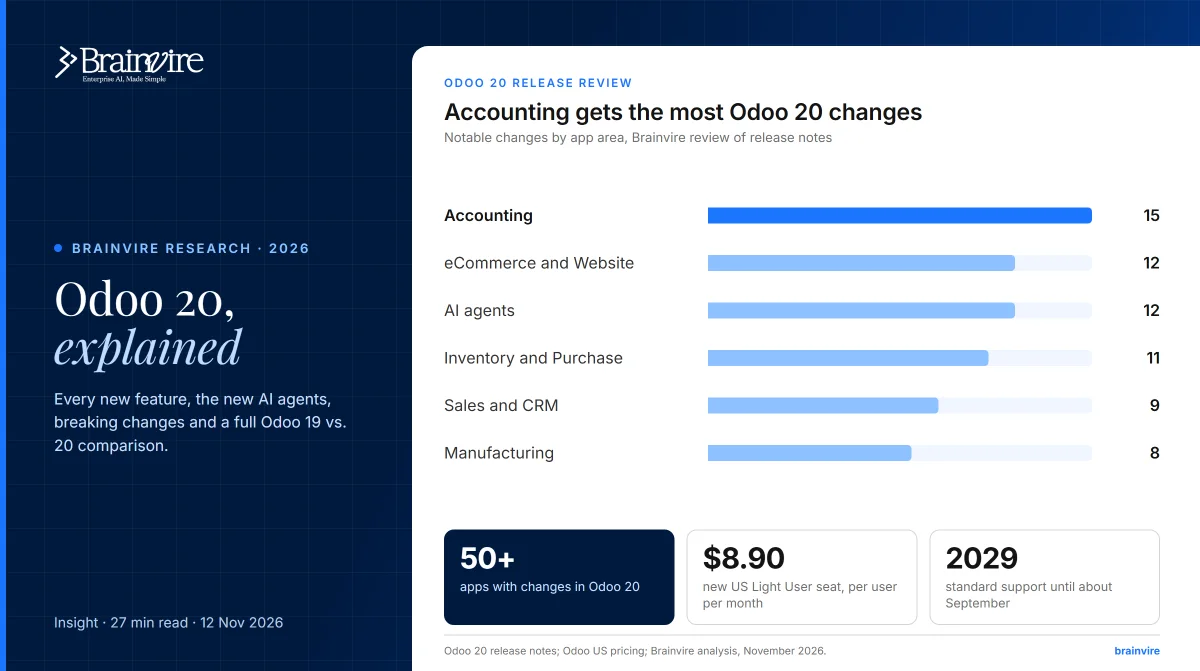 Odoo 20 is here: every new feature, AI upgrade and Odoo 19 vs. 20 comparisonNovember 12, 2026 · 27 min read
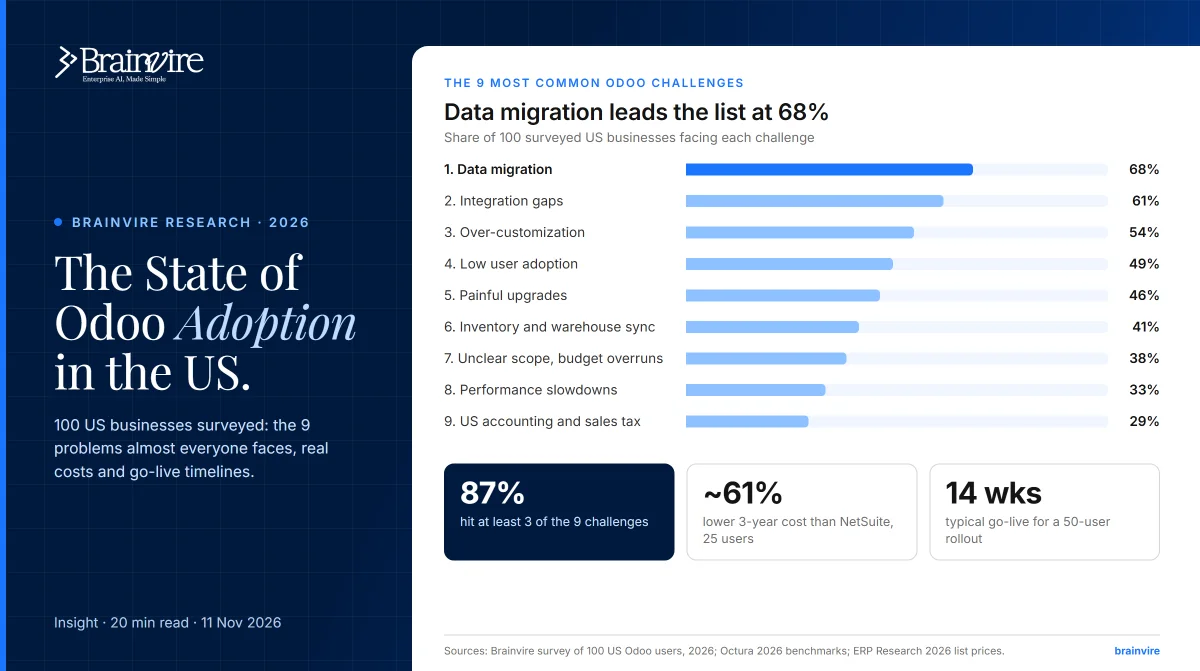 The state of Odoo adoption in 2026: we surveyed 100 US businesses and found 9 problems almost everyone facesNovember 11, 2026 · 20 min read
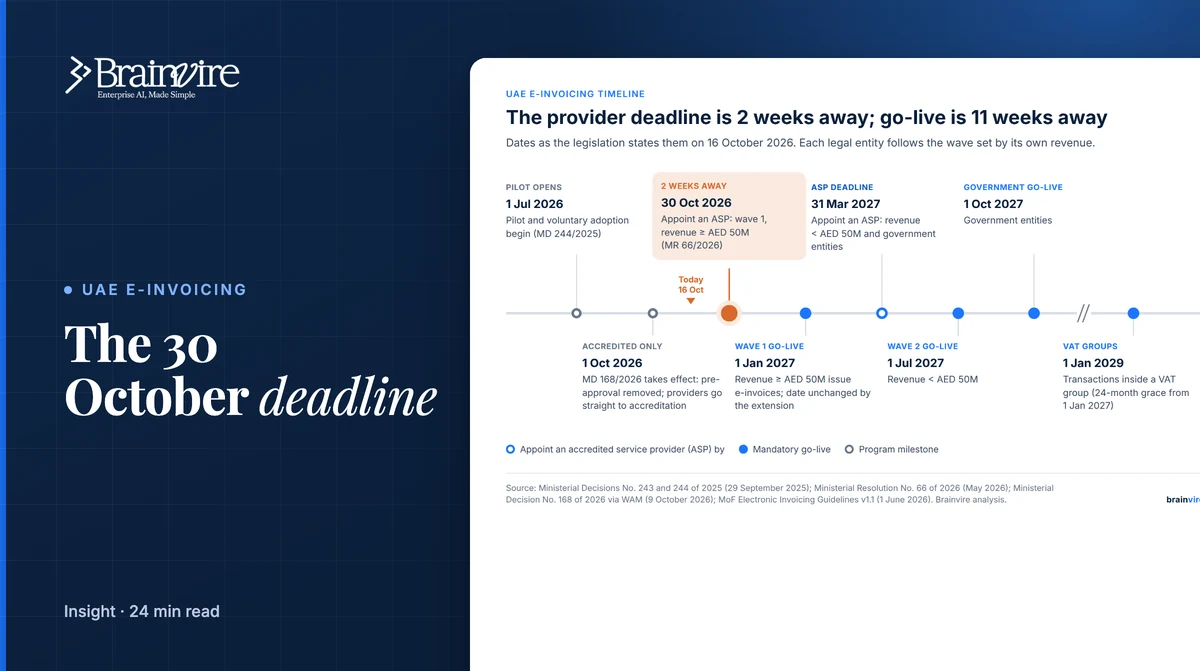 UAE e-invoicing: the 30 October deadline most finance teams are about to miss—and what to do if you already haveOctober 16, 2026 · 24 min read