Workfront Implementation
End-to-end Adobe Workfront setup across intake, planning, and delivery.
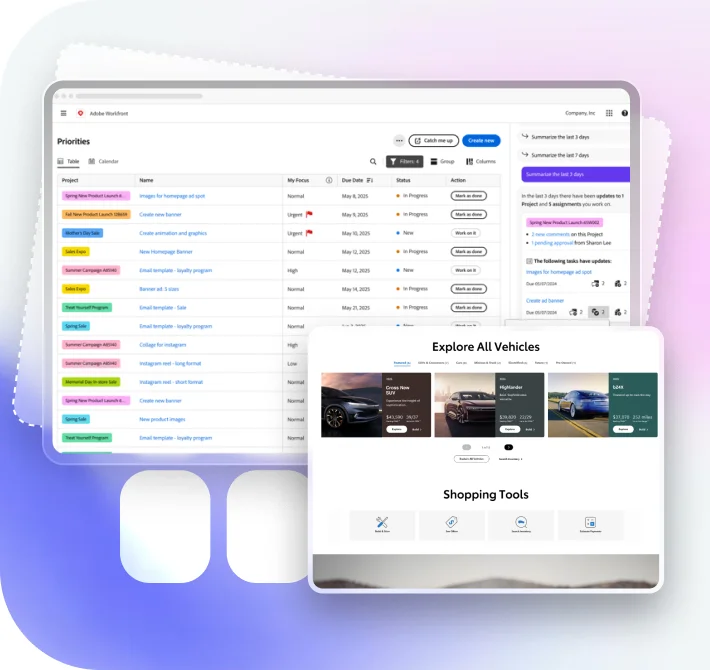
AI-guided configuration Adobe Certified TeamBrainvire configures Adobe Workfront as the project portfolio management hub for your marketing, PMO, and operations teams, giving them real-time intake, capacity planning, resource allocation, and portfolio-level visibility, with agentic AI copilots surfacing the work that matters most.
Trusted by leading brands worldwide
/ Enterprise platforms, on the record
Every figure below comes from a documented engagement: an eLearning academy, an Odoo workflow build, a sales-tracker app, and a custom project-management tool. None is an Adobe Workfront implementation.
Enterprise · Work Platform
[45%]
Improvement in employee productivity
An enterprise eLearning platform helped a Fortune 500 company upskill nearly 5,000 employees, improving employee productivity 45%.
Read the case →
Recruitment · Work Automation
[54%]
Gain in work efficiency after workflow automation
Replacing manual, Excel-driven processes with automated workflows and document tracking lifted a leading recruitment agency's work efficiency by 54%.
Read the case →
B2B · Field Sales App
[37%]
Increase in ROI from a salesperson-tracker app
A salesperson-tracker mobile app coordinated 800+ distributors across six continents, raising ROI 37% and work efficiency 24%.
Read the case →
Media Agency · Project Management
[3X]
Better time management across teams on one PM tool
A custom project-management tool aligned task allocation and resource planning for a media agency, delivering three times better time management across teams.
Read the case →
/ What we build
Eight work-management capabilities (intake, portfolio planning, resource management, and reporting) under one certified Adobe roof, with AI running inside every one.
End-to-end Adobe Workfront setup across intake, planning, and delivery.
AI-guided configuration Adobe Certified TeamAutomated request queues, approvals, and hand-offs across teams, with customizable workflows per request type.
AI-routed approvals AutomationWorkload balancing and capacity planning grounded in real resource utilization data, so managers allocate resources against actual team capacity.
AI capacity forecasting Resource ManagementTailored process design and Workfront Fusion integrations to your tools.
AI-assisted scenario build Workfront FusionWorkfront wired to Jira, Adobe Creative Cloud, Adobe Experience Manager Assets, CRM, and ERP systems.
AI-reconciled data sync IntegrationReal-time dashboards and portfolio reporting, so leaders and teams make informed decisions from live data.
AI-surfaced insights ReportingMigration from legacy PM tools with structured change management.
AI-mapped data migration RolloutManaged Workfront: adoption, tuning, continuous optimization, and support options sized to your team.
AI-triaged monitoring 24×7 Managed Services/ AI, built in
Turn a brief into a structured work breakdown: tasks, dependencies, and owners drafted for a manager to approve, not type from scratch.
Incoming work is triaged, prioritized, and routed to the right team by rules and models instead of a coordinator's inbox.
Models read live utilization to flag over-booked teams and at-risk deadlines before a program slips.
Executive status and portfolio summaries assembled from real task data, so updates are written once and stay current.
/ Accelerators
Each accelerator packages the playbooks, pre-built configurations, and AI tooling from prior work-management programs, so configuration and adoption, the hardest part of any Workfront rollout, are largely solved before your team logs in.
Stand up intake, planning, and delivery on Workfront with AI-guided configuration and structured change management.
Automate request queues, approvals, and hand-offs with AI-routed decisioning across teams.
Connect Workfront to Jira, Creative Cloud, CRM, and ERP with AI-reconciled data sync.
Real-time dashboards and portfolio reporting with AI-surfaced risks and capacity insights.
/ Industries
Each vertical has dedicated teams, pre-built data models, and reference architectures shaped by hundreds of engagements.
Omnichannel platforms with unified inventory, AI merchandising, and storefronts that learn from every order.
See Retail & eCommerce work →HIPAA-conscious patient platforms, operational AI, and connected systems for providers and pharmacies.
See Healthcare work →Secure lending, payments, and decision-intelligence platforms built for audits, uptime, and scale.
See Finance & Fintech work →Dealer commerce, VIN & fitment catalogs, and service platforms connected to live inventory nationwide.
See Automotive work →PropTech platforms, CRM-ERP integration, and AI valuation models for developers and brokerages.
See Real Estate work →Route intelligence, warehouse automation, and end-to-end shipment visibility on one operational spine.
See Logistics work →Content platforms, subscription commerce, and audience analytics that turn viewers into recurring revenue.
See Media work →Learning platforms, enrollment systems, and AI tutoring experiences for institutions and edtech firms.
See Education work →/ In their words
Brainvire demonstrated reliability, a commitment to delivery, and helped us maintain momentum on critical roadmap items.
/ Recognition
Top eCommerce Developers
2025The Americas’ Fastest-Growing Companies
2025Fastest-growing private companies in America
2024North America’s fastest-growing tech companies
/ How it runs
Six steps, in the order we configure them, from intake design to a governed portfolio.
We agree on the criteria for scoring new projects, then build request queues and business cases so every request enters through one intake path and the Portfolio Optimizer can rank it.
AI-routed approvals IntakeTemplates, custom forms, and approval processes are set per request type to streamline setup, so project managers create projects from a template instead of starting from scratch.
AI-guided configuration TemplatesUsers, job roles, schedules, access levels, and resource pools come first, because Workfront's resource tools only forecast accurately on top of them.
AI capacity forecasting ResourcingCreative Cloud, Experience Manager Assets, Microsoft Teams, and Slack connect first, then Workfront Fusion scenarios for Jira, CRM, ERP, and the rest of your toolchain.
AI-reconciled data sync IntegrationRole-based reports and dashboards, project baselines captured at execution, and the Utilization report for budgeted, planned, and actual allocations.
AI-surfaced insights ReportingWhere your license includes it, the Scenario Planner models initiatives across one-, three-, or five-year plans against people and budget, and a governance plan keeps queues, forms, and templates clean as more teams join.
AI-assisted scenario build Governance/ Questions, answered
Yes, and more. Adobe Workfront is Adobe's work management application, and project management sits at its core: project managers build plans with tasks, dependencies, and templates, then group projects into programs and portfolios. The same system handles request intake, resource planning, reviews and approvals, and reporting, which is why it suits work that spans several departments rather than a single team's task list.
Organizations use it to run the full life of work: intake, planning, resourcing, execution, review, and reporting. Adobe positions it strongly for marketing and creative teams, and PMO, IT, and operations teams use it to manage complex projects that cross departments. Adobe's documentation frames the goal as prioritizing projects and keeping them aligned with your business goals.
Adobe describes a portfolio as a collection of projects with common business goals. A project owner submits a request with a business case, the Portfolio Manager or an executive team reviews it, and approved projects join a portfolio. The Portfolio Optimizer then scores projects on cost, alignment, value, risk to benefit, and ROI so you can set their priority. It is one of the Prime features: Adobe's access table requires a Workfront Prime package or higher.
Adobe splits resource management into stages. The Resource Planner budgets project time against each person's scheduled availability, using resource pools. The Workload Balancer assigns tasks and issues to people based on the hours needed and their availability, including time off, and the Utilization report compares budgeted, planned, and actual allocations. Both planners are visual tools, and the Workload Balancer maps overallocation and underutilization so managers can rebalance before anyone burns out.
They overlap on tasks, boards, and assignments, but they are built for different scopes. Workfront brings request intake, portfolios, resource planning, proofing and approvals, and reporting into one platform for work that runs across the enterprise. Adobe also offers Adobe Workfront for Jira, so engineering teams can stay in Jira while their work stays visible in Workfront.
Some reviewers describe a steep learning curve, mostly because it offers so many options. Most of that is configuration: we give each role a simpler layout, hide the fields it does not need, and run role-based training, so everyday users see a simpler screen while administrators keep the depth.
No. Workfront manages work: requests, projects, tasks, resources, documents, and approvals. It does not manage customer accounts or sales pipelines. Adobe offers Adobe Workfront for Salesforce, and Workfront Fusion or the API can connect other CRM platforms, so campaign and project data can move between the two.
Adobe sets the price, not us. Adobe's documentation describes packages in three areas, Workflow, Planning, and Automation and Integration, some offered as Select, Prime, or Ultimate, plus license types that differ by what each user can do. Workfront Fusion is listed at an additional cost, and the Scenario Planner requires a separate license. We map your requirements to a package before you buy, and size our own work in a working session.
Yes. Traditional projects run as plans with tasks, dependencies, timelines, and baselines. For Agile work, Adobe describes Workfront boards as simple yet flexible tools for team collaboration, with advanced Agile team tools that use either Kanban or Scrum, and a project can also be managed in an Agile view without running a team backlog.
Adobe Workfront integrates with Adobe Creative Cloud, where comments and approvals work inside InDesign, Illustrator, Photoshop, XD, Premiere Pro, and After Effects, and with Experience Manager Assets for linked folders and metadata sync. Built-in integrations also cover Box, Dropbox, Google Drive, Microsoft OneDrive, Microsoft Teams, Slack, and Webdam, and Adobe documents integrations for Jira, Google Workspace, and Salesforce. Workfront Fusion and the API reach most other apps.
Yes. Request queues route new work by topic, approval processes send it to the right reviewers, and Workfront Fusion automates the steps between Workfront and your other apps. We start with the hand-offs that cost your teams the most time, because that is where the time savings show first, then extend the same workflows to the next department.
Through task status, percent complete, timelines, and reports. Adobe recommends capturing a project baseline when execution starts, so the finished project can be compared with its original plan. Dashboards roll that data up for leaders, so portfolio reviews rest on live data rather than status chasing.
In two ways. Adobe is building AI into Workfront itself: its documentation already covers Work Agents, which the Workload Balancer can assign to work alongside people. On top of that, we build the AI shown on this page: project plans drafted from a brief, request routing, capacity and risk forecasting, and status rollups written from live task data, which give leaders real-time insights without extra reporting work.
Yes. We map projects, tasks, users, custom fields, and templates from your current tool or spreadsheets into Workfront's structure, migrate the active work and reference data teams need on the first day, and phase the go-live team by team with structured change management.
Comments, updates, and documents stay attached to the project, task, or issue they belong to, so context is not lost in email. Reviewers can make approval decisions in Workfront, in Microsoft Teams or Slack, or inside Creative Cloud apps, and boards give teams a shared view of work in progress. That shared record is what keeps departments aligned on one version of the plan.
Common comparisons include Microsoft Project, Smartsheet, Wrike, and Asana. The useful questions are whether you need portfolio-level planning and resource management, how much proofing and approval work runs through creative teams, and how closely the tool must connect to other Adobe products. Where those matter, Workfront tends to fit; for a single team's task list, a lighter tool may be enough.
As an Adobe Solution Partner, we set up Workfront as your project management and PPM hub: intake and request queues, project templates, portfolio scoring, resource management, integrations, dashboards, training, and managed support after launch. Brainvire brings 14+ years of experience, 1,000+ Brainers, and 10+ global offices, and the working session on this page is where we scope your first phase.
/ Next step
A 30-minute working session with a Brainvire Adobe architect: your workflows, integrations, and AI roadmap, on one page.
Book a Working Session →Cookies on this site
Essential cookies are always on. They keep the site secure and make forms work.
We also use Google Analytics and Microsoft Clarity to see how the site is used. We only turn these on if you accept.